Alpha verification
Real-desktop GUI check
A look at the app itself — and a record that its four alpha build gates render and work in the real, installed app on a genuine Windows desktop, not a headless test harness. Every screenshot below is the live app, driven end to end.
What was checked
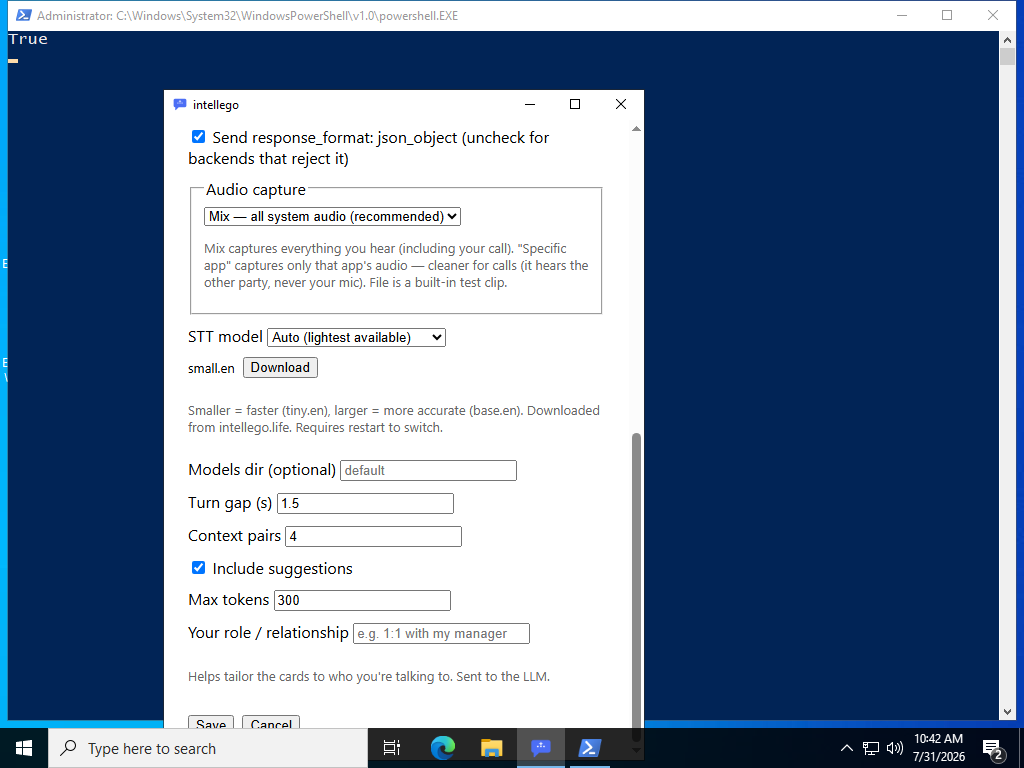
The speech-to-text model picker with a Download button for a model that isn't present yet, served from intellego.life.
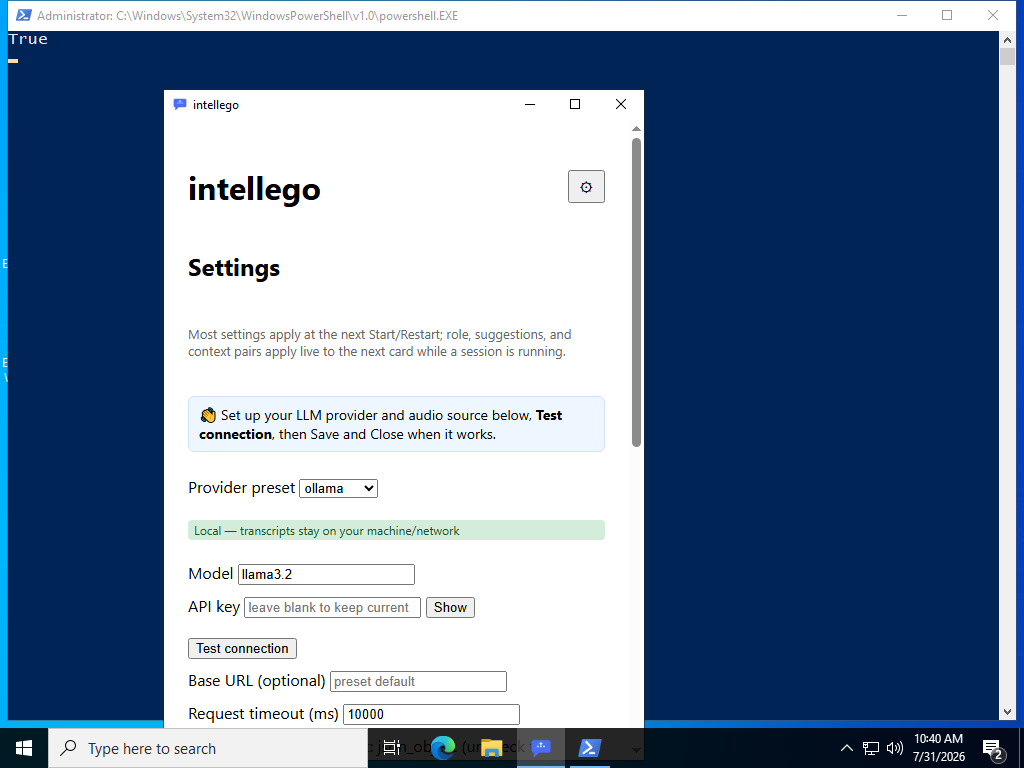
The first-run nudge into Settings, the Test connection button and locality badge — and the button runs a real connection probe.
A fresh install picks a real capture source by default; the picker recommends “Mix” and explains each option's privacy trade-off.
The screens
Confirmed before a single click
On a genuinely fresh Windows profile, the app wrote its first-run configuration with a real capture default — exactly as intended, no dev fixture:
[capture]
source = "mix"

[ui]
consented = false
Consent
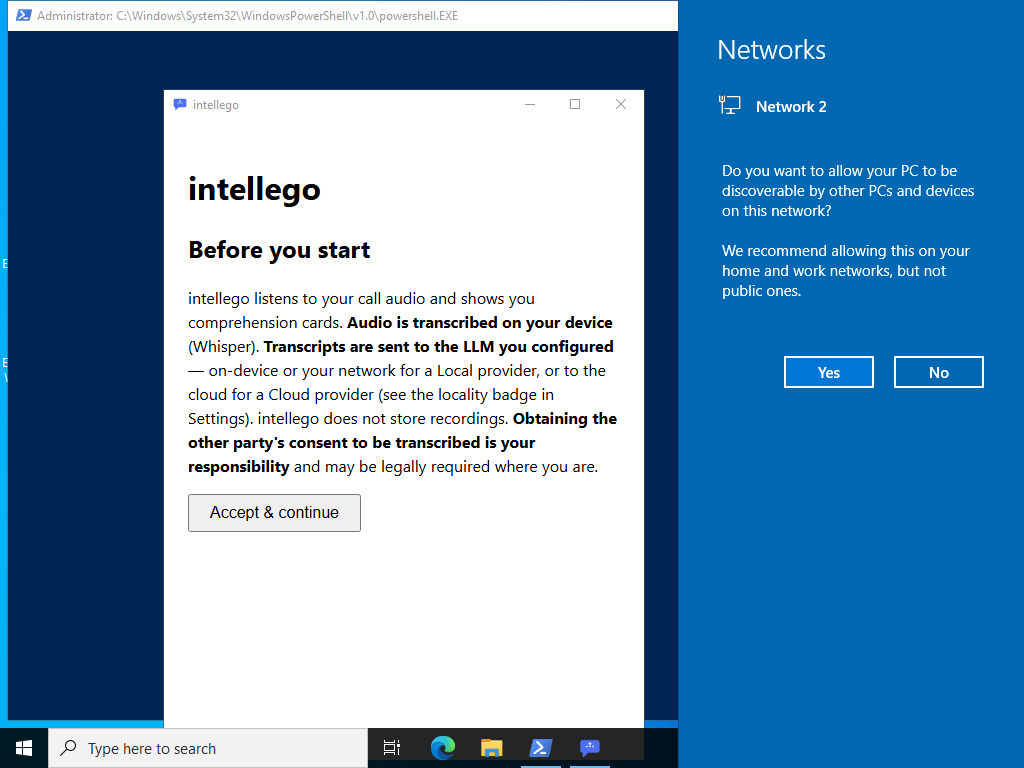
The app paints correctly on a real desktop: the intellego window, the full privacy consent, and “Accept & continue”.
First-run setup
After accepting, the first run lands on Settings. The banner names your provider and audio source, the Test connection button is present, and the green “Local — transcripts stay on your machine/network” badge reads correctly for a local provider.
Capture picker & model download
The audio-capture picker defaults to “Mix — all system audio (recommended)” with an honest hint: Mix hears everything you hear, a specific app hears only the other party (never your mic), and File is a built-in test clip. Below it, the model picker offers a Download for a model that isn't installed yet.
Test connection
Clicking Test connection runs the real path — a request to the configured provider on a background thread, with the result shown inline. With no local model server running it honestly reports provider unreachable for the real endpoint; a green result only needs a reachable provider.
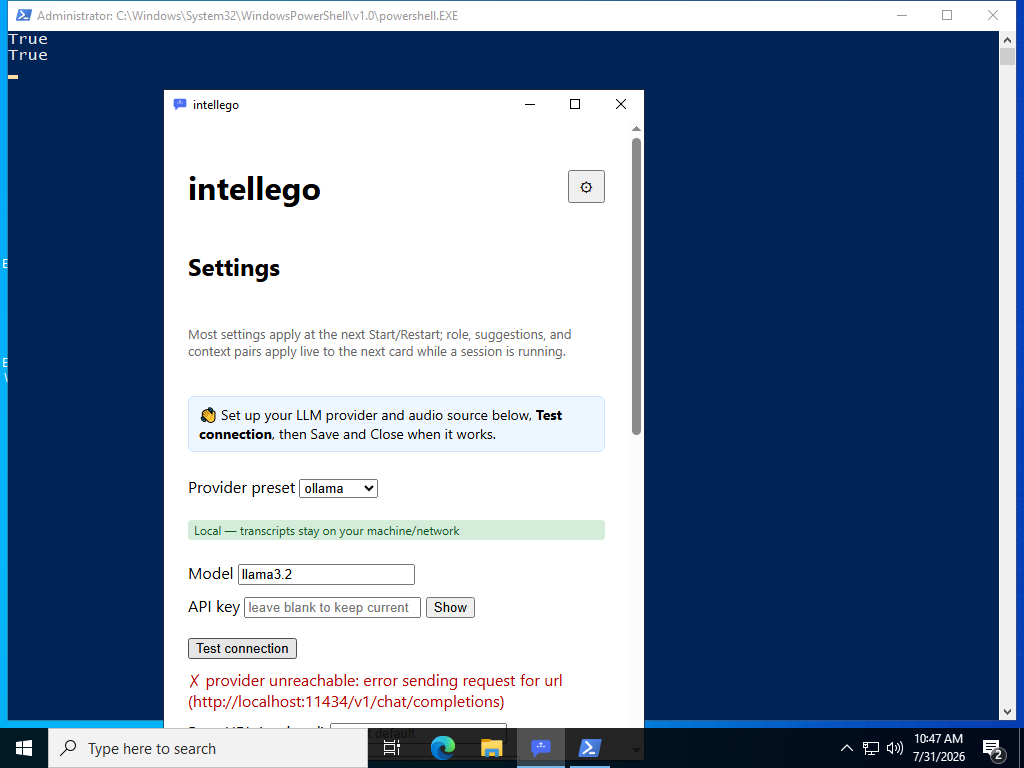
http://localhost:11434/v1/chat/completionsNotes
- Rendered on a real interactive Windows desktop (the WebView2 runtime can't paint in a headless session — the reason this check waited for a real desktop).
- Two live results aren't shown because they need extra setup, not because the wiring is unproven: a successful Test connection needs a reachable provider (a valid key or a running local server), and a completed model download pulls a multi-hundred-megabyte file.